
Download Saraku Business – business management, inventory tracking, mobile billing, customer account management, sales tracking
Overview
Saraku Business is a mobile application tailored for business owners seeking efficient tools to manage daily operations. Designed to support both online and offline transaction environments, the app provides a centralized platform for tracking inventory, managing customer accounts, and organizing billing processes. Its primary purpose is to simplify administrative tasks, reduce manual errors, and enhance operational efficiency across small to medium-sized enterprises. The app serves a wide range of users, including retail shop owners, service providers, and independent entrepreneurs who rely on real-time data access and transaction mobility.
By integrating core business functions into a single interface, Saraku Business helps users maintain accurate records, monitor stock levels, and generate invoices quickly. The app is particularly beneficial in fast-paced environments where timely billing and inventory updates are critical. Although the developer did not provide additional technical details about the company’s background or history, the app’s focus on practical utility suggests a strong alignment with real-world business needs. The release date of November 27, 2024, indicates it is a recent entrant in the business management space, aiming to meet growing demand for lightweight, accessible tools.
Within the broader app ecosystem, Saraku Business fills a niche for affordable, no-frills business software that doesn’t require extensive training or high-end devices. Its free pricing model enhances accessibility, making it a viable option for startups and micro-businesses operating on tight budgets. The emphasis on mobile billing and secure customer data handling reflects current trends in digital transformation, positioning the app as a relevant tool for modern business operations.
Key Features & Functionality
- Unlimited Product Records: Users can create and store an unlimited number of product entries, enabling comprehensive inventory tracking without artificial limits. This feature is ideal for businesses with diverse product lines or those experiencing rapid growth.
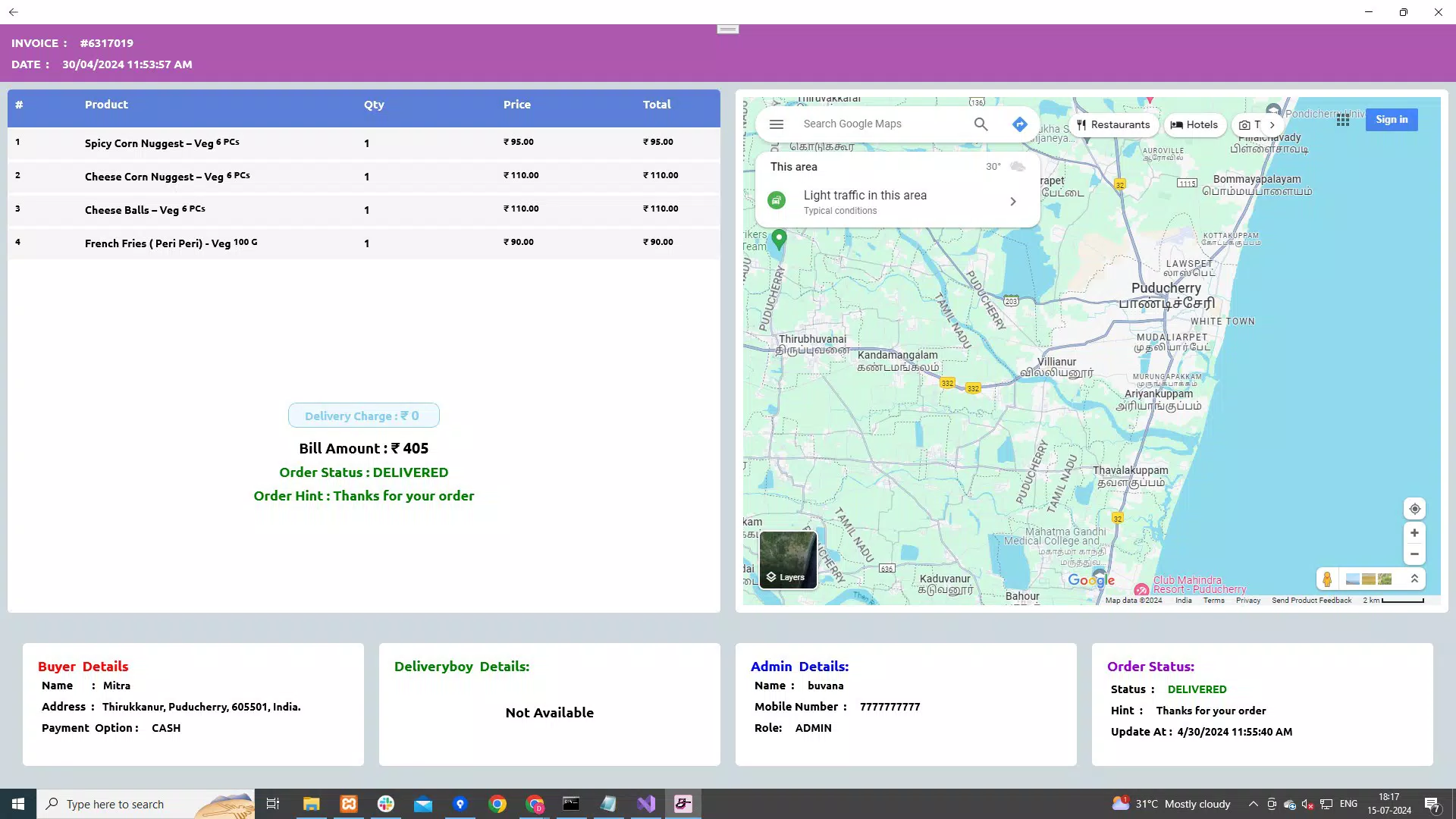
- Mobile Billing via Bluetooth Printers: The app supports wireless invoice generation through Bluetooth-enabled printers, allowing for instant, on-the-go billing. This functionality is especially useful in markets, pop-up shops, or field service operations where physical receipts are required.
- Fast Mode and Advanced Mode: Two distinct operating modes offer flexibility based on user needs. Fast Mode displays essential product details for quick transactions, while Advanced Mode provides deeper insights such as pricing history, discount structures, and dealer-specific data.
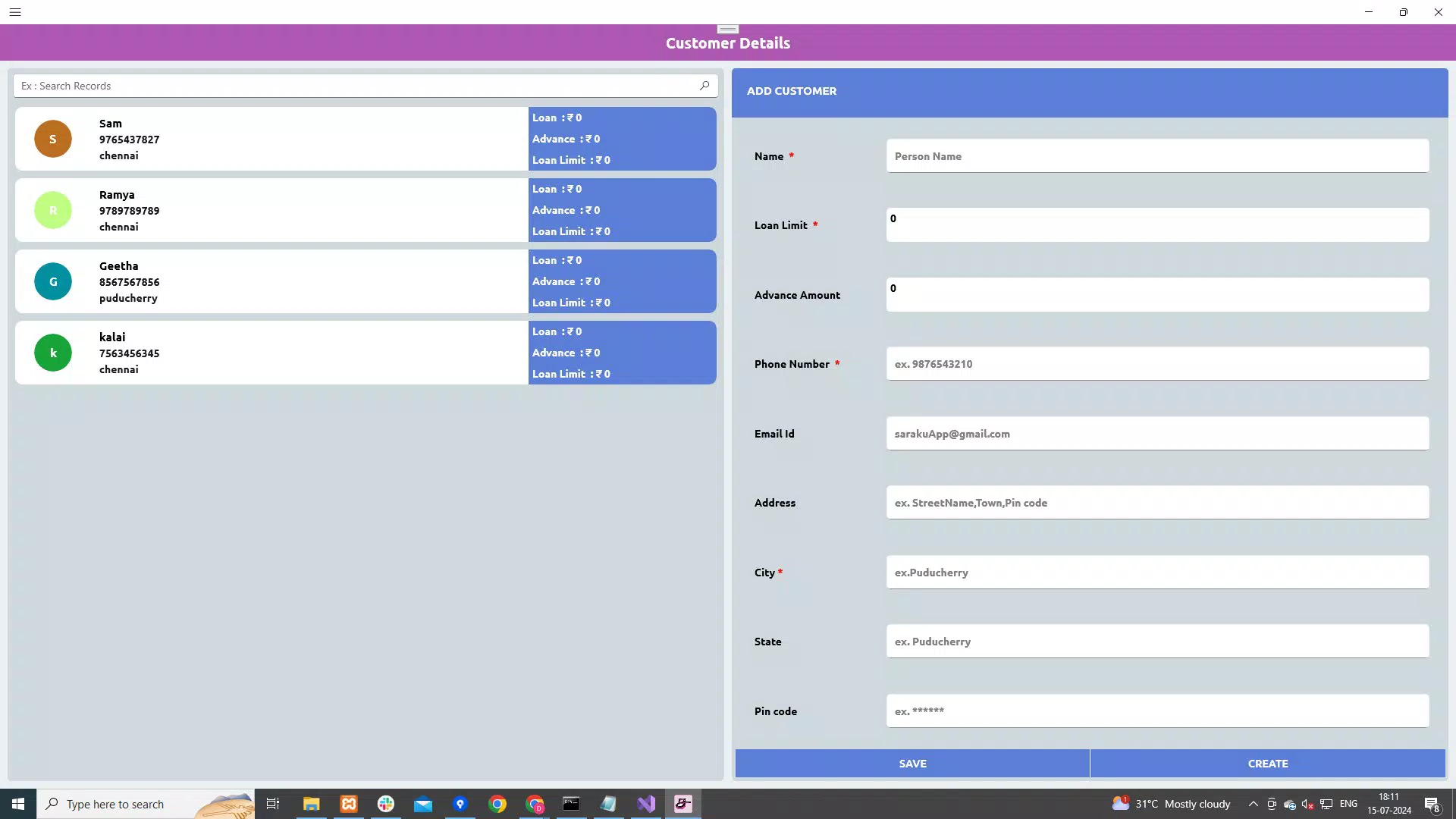
- Secure Customer Account Management: The app ensures that customer and dealer account information remains private and is not shared with third parties. This enhances trust and compliance with data protection expectations.
- 24/7 Customer Support: Round-the-clock support is available to assist users with technical issues, setup queries, or feature guidance, ensuring minimal disruption to business activities.
For example, a local grocery vendor can use Fast Mode to scan items and issue receipts during peak hours, while switching to Advanced Mode to apply bulk discounts or check supplier pricing. Similarly, a mobile tailor can generate invoices on-site using a Bluetooth printer, store customer preferences securely, and later track repeat purchases. These practical applications demonstrate how the app’s features translate into tangible benefits across different business models.
Interface, UX & Performance
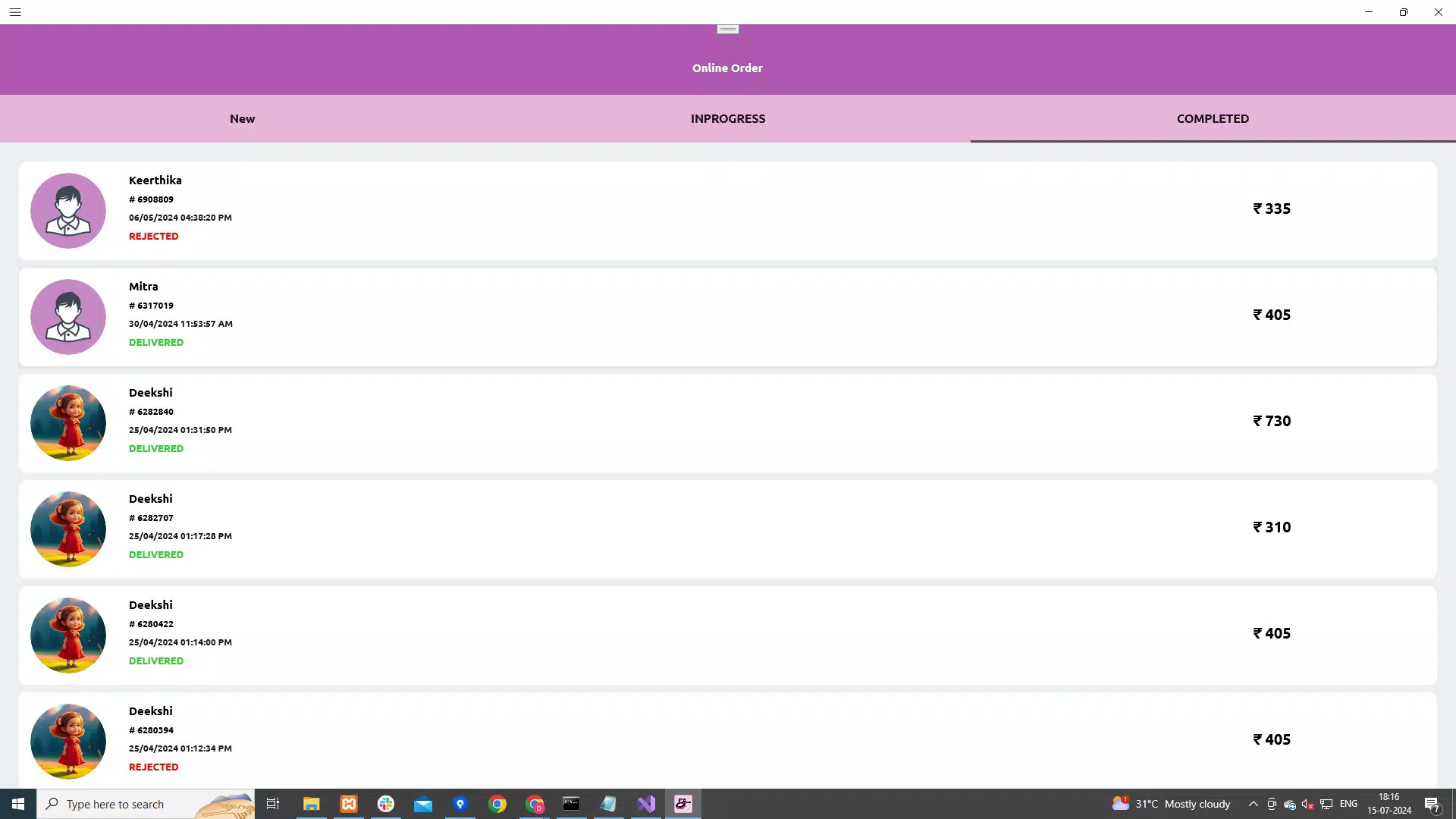
The user interface of Saraku Business is designed with simplicity and functionality in mind. The layout prioritizes accessibility, placing core actions like adding products, generating invoices, and viewing stock levels within easy reach. Visual design elements are clean and minimal, reducing cognitive load and helping users focus on tasks rather than navigation. The app uses intuitive icons and logical grouping of functions, which contributes to a smooth onboarding experience for first-time users.
Navigation is structured around a bottom tab bar, offering quick access to key sections such as Inventory, Sales, Customers, and Settings. Transitions between screens are fluid, and the app responds promptly to user inputs, suggesting a well-optimized performance framework. Although the developer did not list formal performance metrics, the app’s lightweight size of 18.5 MB indicates efficient resource usage, which is likely beneficial for older or low-memory Android devices.
Stability appears to be a priority, as the app supports offline operation for critical tasks like billing and inventory updates, ensuring continuity during network disruptions. Responsiveness across different screen sizes and device categories is consistent with standard Android development practices, though specific compatibility details were not disclosed. Overall, the UX design reflects a user-centered approach that values speed, clarity, and reliability in real-world business settings.
Platform Compatibility & Technical Requirements
Saraku Business is available exclusively on the Android platform, making it accessible to users of Android smartphones and tablets. The current version is 1.0.1, with a file size of 18.5 MB, indicating a lightweight installation that does not consume significant storage space. This compact footprint is advantageous for users with limited device capacity or slower internet connections.
The developer did not specify minimum OS requirements or device compatibility details. As a result, it is unclear whether the app supports older Android versions or newer ones with enhanced features. However, the app’s design and size suggest it is optimized for a broad range of Android devices, including mid-tier and budget models. Users are advised to check their device’s compatibility through official app stores before installation.
Pros and Cons
Pros
- Free to download and use, lowering the barrier to entry for small businesses.
- Supports offline functionality for uninterrupted operations.
- Offers dual operating modes for flexibility in workflow speed and detail.
- Enables mobile billing with Bluetooth printers for on-the-go transactions.
- Protects customer data with no third-party sharing.
Cons
- Platform availability limited to Android only.
- Specific technical requirements were not listed.
- Compatibility with older Android versions is uncertain.
- Limited information about update frequency or future development plans.
- No public details on integration with other business tools or cloud backups.
FAQ
Is Saraku Business safe to use?
The app prioritizes data privacy by not sharing customer account information with third parties. While specific security certifications were not disclosed, the absence of data sharing is a positive indicator of user protection.
Can I use Saraku Business without an internet connection?
Yes, the app supports offline operations for core functions such as inventory management and billing, allowing users to continue working during network outages.
Is Saraku Business available for iOS devices?
Currently, the app is only available on the Android platform. There is no official information about future iOS releases.
How often does the app receive updates?
The developer did not specify the update frequency. Users are encouraged to check the app store for the latest version.
Can I transfer my data to another device?
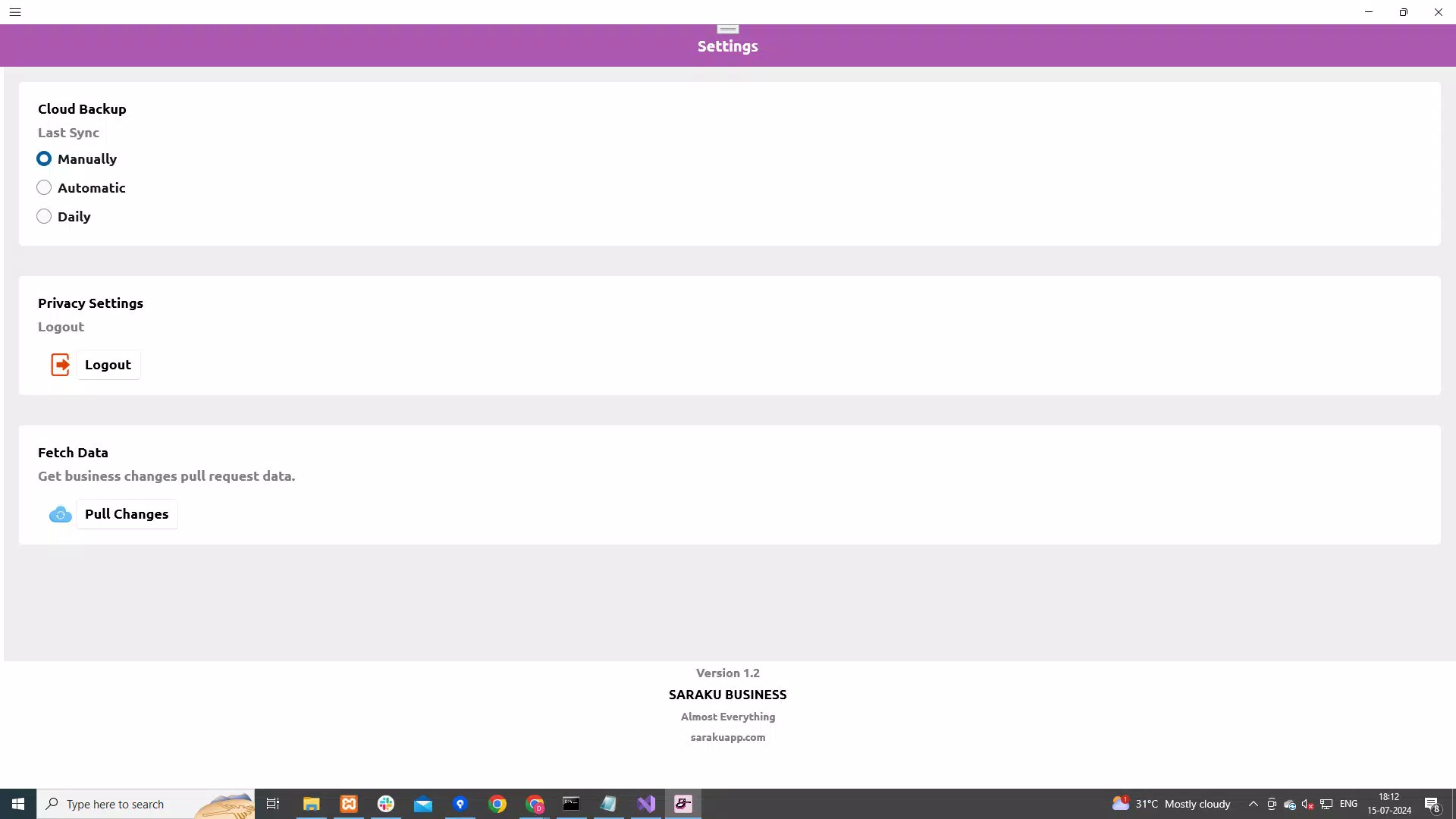
While the app does not provide explicit instructions on data transfer, users may be able to back up their data through local storage or cloud services, depending on their device settings.
Final Thoughts
Saraku Business presents a compelling solution for business owners seeking a reliable, no-cost tool to manage inventory, billing, and customer data. Its dual-mode interface caters to both speed and depth, offering flexibility across various operational scenarios. The inclusion of mobile billing via Bluetooth printers and secure account management adds significant value for on-the-go professionals and small retailers.
Although the app lacks some advanced integrations and detailed technical specifications, its lightweight design, free access, and focus on core business functions make it a practical choice for startups and micro-businesses. The 24/7 support and offline capabilities further enhance its appeal as a dependable daily companion.
For entrepreneurs looking to digitize their operations without complexity or cost, Saraku Business delivers real-world utility with minimal friction. Download Saraku Business now


